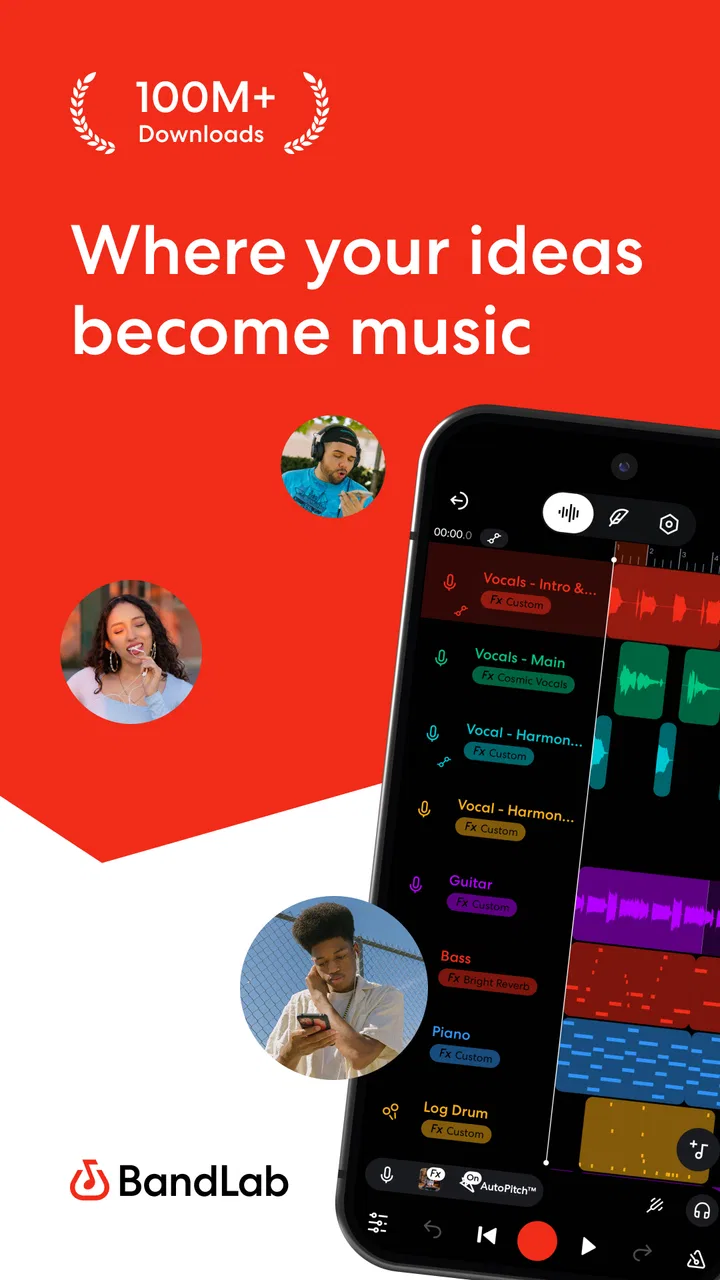
BandLab – Music Making Studio
- 4.5
- Rating
- 100.00M
- Installs
- Free
- Price

 Analysis by App-foxy
I use BandLab when I want to turn a musical idea into something listenable without sitting at a computer. It is a mobile music and audio app from BandLab Technologies, built around recording, arranging, mixing, and sharing from a phone. That focus makes it more practical than a simple voice recorder, but less intimidating than a full desktop studio.
My first impression is that it feels designed for quick progress. I can open a project, capture a melody, build a beat, or experiment with a vocal take before the idea disappears. The app is free to download, and that matters because it lowers the barrier for beginners who are curious about music production but are not ready to buy a traditional digital audio workstation.
After spending time with it, I see BandLab as a flexible sketchbook that can also grow into a serious mobile workspace. It is especially appealing to singers, rappers, beat makers, songwriters, and musicians who move between devices. At the same time, it has limits that become noticeable when a project demands very precise editing, a large arrangement, or the depth of a desktop setup.
You May Also Like

 Blood Strike: 2.5 Anniversary
Blood Strike’s Loadouts Turn Every Drop Into a Tactical Gamble
A close look at Blood Strike’s custom loadouts: how fast access to signature weapons reshapes its battle royale rhythm, rewards preparation, and narrows the gap between fights.

 Pandora - Music & Podcasts
Pandora’s Music Is Easy to Start, but Harder to Recover
Pandora’s strength is its low-effort path from a seed to a station. Its weak spot is how much confidence it asks you to place in connection, setup, and quiet recovery.

 8 Ball Pool
 Is Built on Rivalries, Rematches, and Routine
A close look at the rivalries, rematches, shared routines, and unanswered safety questions that turn a quick pool match into a persistent mobile community.

 Samsung Music
’s Quiet Strength Is Playing What You Already Own
Its reach comes less from spectacle than from dependable access to a personal library. That simplicity is both the app’s strongest retention engine and its ceiling.

 AccuWeather: Weather Radar
AccuWeather Review: A Quick, Clear Forecast for Everyday Decisions
For everyday plans, the best forecast is the one you can understand quickly. AccuWeather makes rain timing, radar, and local conditions easy to act on, with a few trade-offs.

 Hill Climb Racing
Why Hill Climb Racing Still Turns Crashes Into One More Run
A tiny car, a bumpy hill and one more upgrade: Hill Climb Racing keeps resurfacing because its simple chaos makes every near-miss feel personal.
More From Our News Desk
View All News


What using BandLab feels like today
The current version is 11.13.3, and the overall experience is centered on getting from a blank project to a rough production quickly. Instead of forcing me through a complicated setup, it encourages experimentation. I can start with an instrument, a rhythm, a vocal recording, or an imported idea and then shape the project as I go.
That workflow is useful because inspiration is rarely convenient. A melody may arrive while I am commuting, a lyric may come together during a break, or a drum pattern may sound obvious late at night. With BandLab on a phone, I do not need to wait until I reach a studio. I can record the idea while it is fresh and decide later whether it deserves a polished arrangement.
The app belongs in the Music & Audio category, but it is more than a playback tool. Its purpose is creation. I can use it to record vocals, combine parts, adjust levels, and build a track in stages. That makes it a much better fit for making music than a standard memo app, while remaining more approachable than software that assumes I already understand routing, buses, and elaborate studio terminology.
The interface still asks for patience. A new user may recognize the broad purpose of each area but need time to understand how tracks, effects, loops, and project controls work together. I found that the fastest way to learn was not to read everything first. I started with a short project, tested one sound at a time, and treated the first few attempts as practice rather than finished songs.
That approach also reveals one of the app’s strongest qualities: it rewards small experiments. I can try a different vocal effect, move a part, change the balance, and compare the result without committing to a complicated production plan. For beginners, this makes music creation feel less like a technical exam and more like arranging pieces on a digital workbench.
A practical workflow for a real day
Imagine I am writing a chorus and have only a phone available. I can hum the melody into a new project, add a simple rhythmic foundation, and record another take when the first performance feels weak. Later, I can return with headphones, trim the rough parts, adjust the volume, and add supporting layers. The important benefit is not that the first version sounds perfect; it is that the idea survives long enough to be improved.
I recommend keeping early projects deliberately short. A compact verse or chorus is easier to organize than an ambitious full song with many unfinished layers. Once the main idea works, I can duplicate or extend sections and make more deliberate decisions. This prevents the common mobile-production problem of collecting interesting sounds without ever finishing an arrangement.
For vocals, headphones are particularly useful. They help me hear whether the backing track is covering the performance and reduce the chance that the microphone captures the sound coming from the phone. A quiet room still matters, though. Software effects can change the character of a recording, but they cannot completely repair a noisy environment or an inconsistent performance.
I also found value in recording several takes instead of trying to deliver one flawless performance. A mobile app makes repeated takes convenient, and comparing them later is often more productive than stopping after the first acceptable attempt. The trade-off is that more takes create more material to organize, so naming or separating ideas early can save time when a project grows.
Where the mobile format helps
BandLab’s phone-first nature is its clearest advantage over many traditional alternatives. A desktop workstation may offer deeper editing and a larger working area, but it also requires more preparation. BandLab is ready for the moments when speed matters more than perfect control. I can sketch a bassline in a waiting room or capture a vocal idea before I forget the phrasing.
It is also a useful learning environment. Someone who has never produced music can explore rhythm, layering, recording, and mixing without immediately facing the full complexity of professional software. The app gives beginners a place to understand the basic relationship between tracks and the final sound. Later, if they move to a desktop tool, that experience should make the transition less confusing.
For experienced musicians, the value is different. I would not treat the app only as a beginner toy. It can serve as a portable idea station, a rehearsal companion, or a place to prepare a rough arrangement before doing detailed work elsewhere. The best results come when I accept its role: fast creation and practical editing rather than a complete replacement for every studio workflow.
Recording, arranging, and mixing without overcomplicating things
Recording in BandLab feels most effective when I decide what the part needs before pressing the record button. A clean rhythm, a clear vocal, or a simple instrument line gives me a stronger foundation than adding many decorative layers immediately. I prefer building from the main musical idea outward, because it is easier to identify what the song actually needs.
Mixing on a phone requires a different mindset from mixing on a large monitor. I make broad, meaningful changes first: bring the lead part forward, lower competing layers, and check whether the rhythm supports rather than overwhelms the song. Tiny adjustments are possible, but the smaller screen makes it easy to lose perspective. I regularly listen at a moderate level and check the project through headphones and the phone speaker.
One useful habit is to leave space. New producers often add another sound whenever a track feels empty, but the problem may be arrangement rather than instrumentation. BandLab makes experimentation easy, so I have to impose my own discipline. Muting a layer can be as valuable as adding one, especially when vocals need room to remain understandable.
Effects are best treated as tools for a specific purpose. A little processing can help a vocal sit inside a track or give an instrument a different mood. Using dramatic effects on every part can make the mix tiring and hide the original performance. I usually create a plain version first, then compare it with the processed version so I know whether the effect is helping or merely sounding impressive in isolation.
Collaboration and sharing in everyday use
BandLab becomes more interesting when music is not a solitary activity. I can use it to exchange ideas with another musician, develop a rough arrangement, or send a work in progress for feedback. This is convenient for people who do not share a rehearsal room, because the project can move forward in smaller pieces rather than waiting for everyone to meet.
The practical challenge is organization. Collaboration works better when each person knows which part they are changing and which version is current. I recommend agreeing on a simple naming habit and keeping notes about the intended structure. Without that discipline, a creative project can become a pile of alternate takes and uncertain edits, regardless of how capable the app is.
For sharing, I prefer sending a clearly labeled draft rather than presenting every experiment as a finished track. That distinction helps listeners give useful feedback. A friend can comment on the chorus, vocal delivery, or overall mood more effectively when I explain what I am still deciding.
What has changed, who benefits, and where it still falls short
The release history gives BandLab a long period of development, beginning on June 8, 2015. Its current state reflects an app that has had time to mature from a simple mobile music idea into a broader creation platform. I notice that maturity in the way the workflow supports different starting points: a user can approach it as a vocalist, an instrumentalist, a beat maker, or someone who simply wants to test an idea.
That evolution is important for existing users because a mature creative app is expected to handle more than one narrow task. People may begin by recording a voice memo and later want to arrange a complete song. They may start with loops and eventually care about mixing decisions. BandLab’s appeal is that these stages can exist within the same general environment instead of requiring a new app for every step.
The large user base supports that sense of accessibility. BandLab has passed 100 million installs, and its average rating is 4.6 from around 772 thousand ratings. Those figures do not guarantee that every musician will enjoy the workflow, but they show that the app has reached far beyond a small specialist audience.
I would still avoid interpreting popularity as proof that it replaces professional software. A broad audience often means the product has to balance simplicity with power. Beginners need clear paths, while experienced users want control. Those goals can conflict, and I sometimes feel that mobile convenience wins over the fine-grained precision I would expect from a desktop workstation.
What existing users should know about the current experience
If I were returning to BandLab after a long break, I would begin by checking the current project workflow rather than assuming everything behaves exactly as I remember. Creative apps evolve, and controls can become more capable while also moving or being reorganized. Spending a few minutes on a test project is safer than opening an important song and experimenting directly.
I would also keep important work organized outside the app’s immediate working area. That does not mean BandLab is unreliable; it means creative projects deserve deliberate care. I save meaningful versions, avoid destructive decisions when possible, and keep a simple record of which arrangement I consider current. These habits make it easier to recover from an idea that goes in the wrong direction.
The app is free, but in-app purchases range from two dollars to three hundred fifty dollars per item. That makes it important to pay attention to optional purchases before committing to an expanded workflow. A user who only wants to record occasional ideas may never need to spend anything, while someone exploring additional content or capabilities should decide in advance what is genuinely useful.
For a teenager, the content rating is Teen. Parents should consider that BandLab is a creative platform with sharing and community-oriented possibilities, not merely an offline instrument. I would encourage younger users to understand what they are publishing, who can see it, and how they want to handle feedback before treating the social side as casually as a private notebook.
The gaps that become clearer with serious projects
The first limitation is screen space. A phone is excellent for capturing an idea, but it is not the easiest place to inspect a dense arrangement. When many tracks compete for attention, navigation and editing require more concentration than they would on a desktop display. I can work around this by keeping arrangements tidy, but the limitation never completely disappears.
The second is precision. BandLab can support meaningful production, yet a user who needs extremely detailed timing edits, complex routing, or a highly specialized mixing environment may eventually prefer a desktop digital audio workstation. That choice is not a criticism of BandLab; it is a reminder that portability and depth involve trade-offs.
Audio quality also depends heavily on the phone, microphone, room, and monitoring setup. The app can help me shape a recording, but it cannot turn a poor source into a flawless studio take. If the goal is a professional vocal release, I would record in the best environment available and consider moving the project to a more expansive setup for final refinement.
There is also a creative risk in having so many quick possibilities. Loops, effects, and repeated takes can encourage me to decorate a track before I understand its structure. I have produced better results when I set a clear target first: a chorus demo, a beat sketch, a vocal draft, or a complete short song. The app gives me freedom, but it does not choose the musical priorities for me.
Who should use it and who should choose something else
I recommend BandLab to beginners who want to learn the foundations of recording and arranging without paying upfront. It is also a strong choice for singers and rappers who need a convenient place to test performances, as well as songwriters who want to preserve ideas in a more musical form than a voice memo.
It suits mobile musicians particularly well. If I travel often, collaborate remotely, or move between short pockets of free time, the app’s accessibility is more valuable than having every advanced studio feature. It is also useful for teachers or informal music groups that need a straightforward way to demonstrate layers and share rough exercises.
I would skip it as my main tool if I already depend on a highly specialized desktop workflow and need exact control over every stage of production. I would also look elsewhere if my priority is simply listening to music rather than making it. A dedicated audio player is more focused for playback, while a desktop workstation is usually better for large, technically demanding sessions.
For someone comparing it with familiar alternatives, I see BandLab occupying the space between a basic recorder and a full professional studio. It offers more creative structure than a memo app and less setup friction than many desktop programs. Other mobile music tools may be preferable for a particular instrument, interface style, or advanced editing need, but BandLab’s broad approach is what makes it easy to recommend as a starting point.
What I would watch as the app continues to evolve
My main expectation is not simply more features. I would rather see continued attention to project organization, clear editing, and a smooth path from a quick sketch to a finished arrangement. Those details matter because users often outgrow their first simple projects. The best evolution would preserve the welcoming entry point while making larger sessions easier to manage.
I would also watch how the balance between free access and optional purchases develops. The free starting point is one of the app’s strongest reasons to try it, while the broad purchase range means users should remain thoughtful about what they add. A transparent, non-confusing path from beginner experiments to more serious production would benefit both new and returning musicians.
My final view is positive, with realistic expectations. BandLab is not magic, and it is not a substitute for a treated room, a good microphone, or a large desktop setup. What it does well is more practical: it helps me catch ideas, build musical confidence, and turn spare moments into actual creative work. For a free mobile studio, its biggest strength is making the first step feel easy without making the whole process feel disposable.
BandLab Technologies has created an app I would keep on my phone if I wrote, sang, or produced music regularly. I would use it for sketches, demos, collaboration, and portable practice, then decide case by case whether a larger setup was needed for the final result. If that sounds like your situation, BandLab is worth trying; just approach it as an adaptable music-making workspace rather than a complete replacement for every tool in a studio.
FAQs for BandLab – Music Making Studio
01What features does BandLab offer for music creation?
BandLab provides a comprehensive suite of tools for music creation, including a multi-track editor, virtual instruments, and a wide range of effects. Users can collaborate in real-time with musicians globally, access royalty-free loops, and utilize the mastering feature to enhance their tracks. The app is designed to cater to both beginners and experienced musicians.
02Is BandLab free to use, and are there any in-app purchases?
Yes, BandLab is completely free to download and use. Unlike many other music apps, BandLab does not require any in-app purchases or subscriptions. All features, including the collaboration tools and effects, are available to users at no cost, making it a highly accessible platform for music enthusiasts.
03Can I collaborate with other musicians using BandLab?
Absolutely! BandLab is designed with collaboration at its core. Users can invite friends or connect with other musicians worldwide to work on projects together in real-time. The platform supports seamless sharing of tracks and ideas, providing an interactive environment for creative collaboration.
04Is BandLab suitable for beginners in music production?
Yes, BandLab is highly suitable for beginners. The app offers an intuitive interface that guides new users through the music creation process. With tutorials, easy-to-use tools, and a supportive community, beginners can learn and experiment without feeling overwhelmed, making it an ideal starting point for aspiring musicians.
05What platforms is BandLab available on?
BandLab is available on both Android and iOS devices, as well as on desktop through web browsers. This cross-platform availability allows users to create and edit music on the go and switch between devices without losing their work, ensuring a seamless music production experience.
Pros
- User-friendly interface for beginners.
- Vast library of loops and samples.
- Cross-platform collaboration tool.
- Free to use with no hidden costs.
- Regular updates with new features.
Cons
- Limited advanced editing features.
- Requires internet for full functionality.
- Ads can interrupt workflow.
- Occasional app crashes reported.
- Some features need improvement.

BandLab – Music Making Studio
Gallery